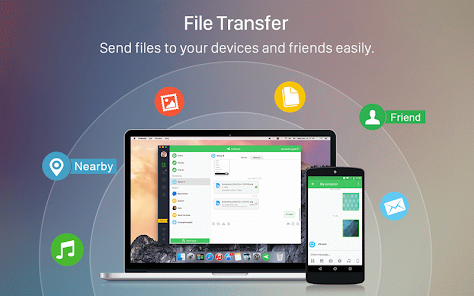
Are you tired of juggling between your phone and computer? AirDroid by Sand Studio is here to make your life easier by connecting your Android device to your PC. Whether you want to transfer files, manage notifications, or send messages, AirDroid has got you covered. Let’s walk through how to set it up and use it to simplify your tech experience.
What is AirDroid?
Think of AirDroid as a bridge between your Android phone and your computer. It’s an app that lets you handle various tasks on your phone right from your PC. Need to send files, check notifications, or respond to messages without picking up your phone? AirDroid makes it all possible in a few easy steps.
Getting Started: What You’ll Need
Before we dive into the setup, make sure you have:
An Android Device: Running Android 5.0 (Lollipop) or newer.
A Computer: Windows 7 or later, or macOS 10.10 or later.
AirDroid App: Installed on both your phone and computer.
Step 1: Install AirDroid on Your Android Device
Download AirDroid: Head to the Google Play Store on your Android device, search for “AirDroid” by Sand Studio, and tap install.
Open the App: Once it’s installed, open AirDroid on your phone.
Create an Account: You’ll need an AirDroid account to unlock all features. Follow the on-screen instructions to sign up or log in if you already have an account.
Step 2: Install AirDroid on Your Computer
Get AirDroid for Your PC: Go to the AirDroid website (www.airdroid.com) and download the AirDroid desktop client for Windows or macOS.
Install It: Run the installer and follow the simple steps to set it up.
Launch AirDroid: Open the app on your computer once it’s installed.
Step 3: Connect Your Devices
Sign In: Make sure you’re logged into the same AirDroid account on both your Android device and your computer.
Pair Devices:
Using a Web Browser: Open a browser on your PC and go to web.airdroid.com. Sign in with your AirDroid account, and you’ll see a QR code.
Using the Desktop Client: If you’re using the desktop client, sign in with the same account on both your Android device and your computer.
Scan the QR Code: On your phone, tap the “Scan QR Code” option in the AirDroid app and scan the code displayed on your computer’s screen.
Confirm the Connection: Once the QR code is scanned, your devices should connect, and you’ll get a confirmation on both the app and desktop client.
Step 4: Make the Most of AirDroid
Transfer Files:
From PC to Phone: Drag and drop files into the AirDroid interface on your computer. Choose where you want to save them on your phone.
From Phone to PC: Open the AirDroid app on your phone, select the files you want to send, and upload them to your computer.
Manage Notifications:
View Notifications: Check your phone’s notifications from your computer. You can interact with them without picking up your phone.
Customize Alerts: Set up how and which notifications you want to see.
Handle Messages:
Read and Reply: View and respond to your SMS and other messages right from your PC. It’s super convenient for staying on top of your conversations.
Remote Control:
Access Your Phone: Control your Android device from your computer. This is handy for managing apps or tasks on your phone without touching it.
Backup and Restore:
Backup Data: Save important files, photos, and contacts from your phone to your computer.
Restore Data: Easily restore your backed-up data to your phone when needed.
Troubleshooting Tips
If you run into any issues, here’s how to fix common problems:
Check Your Network: Ensure both your PC and phone are connected to the same Wi-Fi network.
Update the App: Make sure both the AirDroid app on your phone and the desktop client on your computer are up to date.
Restart Your Devices: Sometimes, restarting both your phone and computer can resolve connectivity issues.
Reinstall AirDroid: If problems persist, try uninstalling and reinstalling the AirDroid app on both devices.
In Summary
AirDroid by Sand Studio is a fantastic tool for connecting your Android phone to your computer, making it easier to manage your digital life. By following this guide, you’ll be able to set up and use AirDroid effortlessly. Enjoy the convenience of transferring files, managing notifications, and responding to messages right from your PC.
Give AirDroid a try and experience how smoothly your devices can work together. If you need help along the way, AirDroid’s support team is always ready to assist. Happy syncing!